Error Step
Fail fast with a controlled, structured error.
What it does
- Explicitly stops the scenario at this point with a controlled error.
- Produces a structured error payload (message, code, and any mapped details) that you can see in execution logs and API responses.
- Makes error handling clear and explicit, instead of silent failures.
When to use it
- When the situation is unrecoverable and the scenario must not continue (for example, a required connection or configuration is missing).
- When you want a clear, human‑readable explanation of why the scenario failed.
- When you need to standardize failure behavior across multiple paths (for example, all validation errors go through the same Error step).
- Together with
Conditional,Filter,Split, orSwitchsteps:- Route only the invalid or unexpected branch into
Error. - Keep the happy path clean while still making error handling explicit.
- Route only the invalid or unexpected branch into
How to configure
-
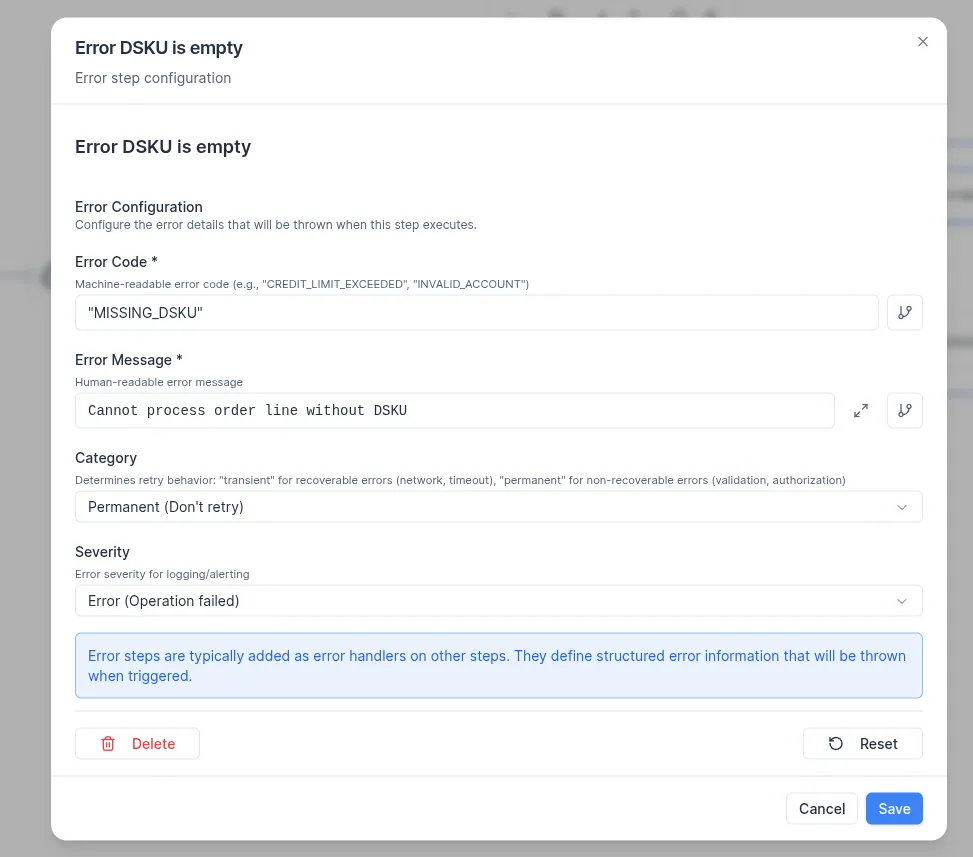
Error message: the main human‑readable explanation that appears in the error output (for example,
Customer is missing,ERP returned a hard error). -
Error code: a short machine‑friendly identifier used by systems and alerts (for example,
MISSING_CUSTOMER,ERP_HARD_ERROR,VALIDATION_FAILED). -
Category: determines retry behavior
- Transient: These are recoverable errors (e.g., network issues, timeouts). A retry operation is likely to succeed.
- Permanent: These are non-recoverable errors (e.g., validation failures, authorization errors). No retries will be attempted in this scenario.
-
Severity: how critical the error is. Use higher severity for issues that must stop the scenario and be investigated.
- Info - provides informational context.
- Warning - indicates degraded but still functional operation.
- Error - failed operation.
- Critical - represents a system-level failure.
Placement in the flow:
- Connect
Errorfrom branches that represent failed checks (for example, condition evaluated to false, validation failed, external system returned a hard error). - Avoid placing
Errorin the main happy path unless the intent is to always fail.
What the error output looks like
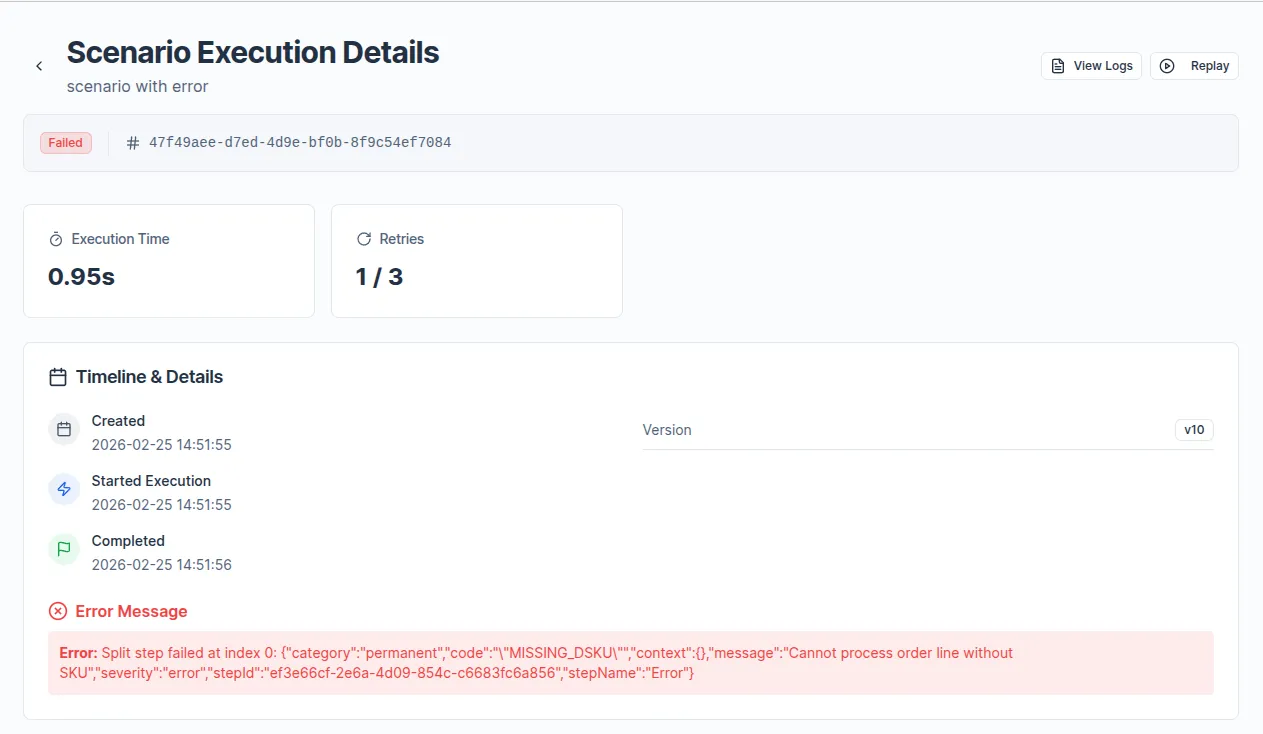
When the Error step is executed, the scenario stops and returns a payload similar to a top‑level status indicating failure with the configured message and error code.
This output appears:
- In the execution log for the failed run.
- In any external system that triggered the scenario (for example, via webhook or API) if it expects a response body.
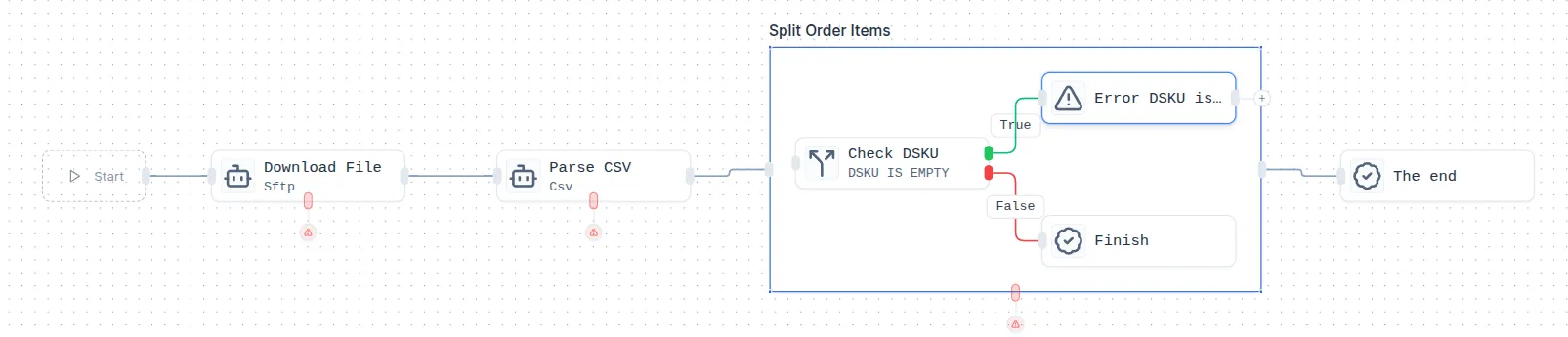
An example of the step configuration (stop on missing DSKU in line items)
Scenario goal: in a loop over order line items, fail fast if any item does not have a DSKU. The Error step is placed inside a Split over items in the array, connected from a Conditional that checks DSKU is empty.